Control climate settings with a physical dial
The central LCD dial gives access to supported fan speed and temperature settings. The panel is designed to sit beneath the factory center display.

Set up ten physical shortcuts
The supplier lists up to 20 functions that can be assigned across ten buttons. Select the shortcuts available for your vehicle and software configuration. The supplier images show examples for climate, seat and door functions.

Select the correct console generation
Options cover original Model 3, original Model Y, Model 3 Highland and Model Y Juniper or Y L. The supplier uses a shared reference image. Match the mounting trim and wiring for your vehicle before ordering.

How the dial and shortcut buttons are used
The circular LCD dial gives direct access to supported fan speed and temperature settings. The source shows up to ten assignable buttons and twenty available functions. Example assignments include hazard lights, door release and seat movement. Available assignments depend on vehicle and software support.
Connections and electrical specifications
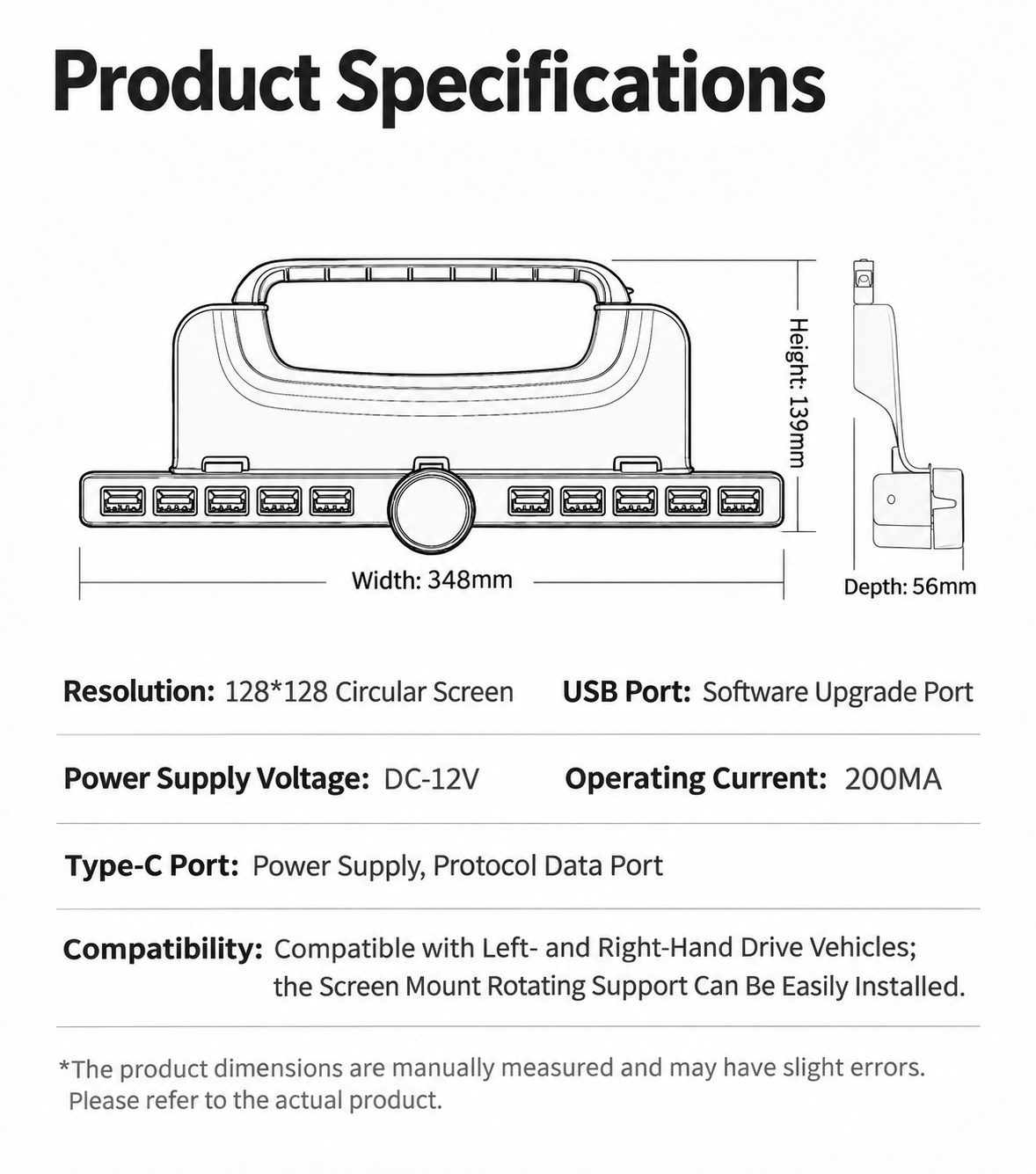
The supplier diagram lists a 128 × 128 circular display, 12 V DC supply and 200 mA operating current. USB is listed as the software update interface. Type-C is listed for power and protocol data. The assembly measures 348 × 139 × 56 mm.
Match the console generation
Choose original Model 3 or Model Y, Model 3 Highland, or Model Y Juniper / Y L. Compare the trim under the center screen and connector with the supplied version. The diagram also shows a screen swivel bracket as a separate fitment reference.
Specifications
| Controls | Ten configurable buttons and LCD rotary dial |
|---|---|
| Dimensions | 348 × 139 × 56 mm |
| Supply | 12 V DC |
| Display | 128 × 128 pixels |