Product Description
Wireless Apple CarPlay Adapter for Tesla – Smarter Connectivity, Cleaner Interior
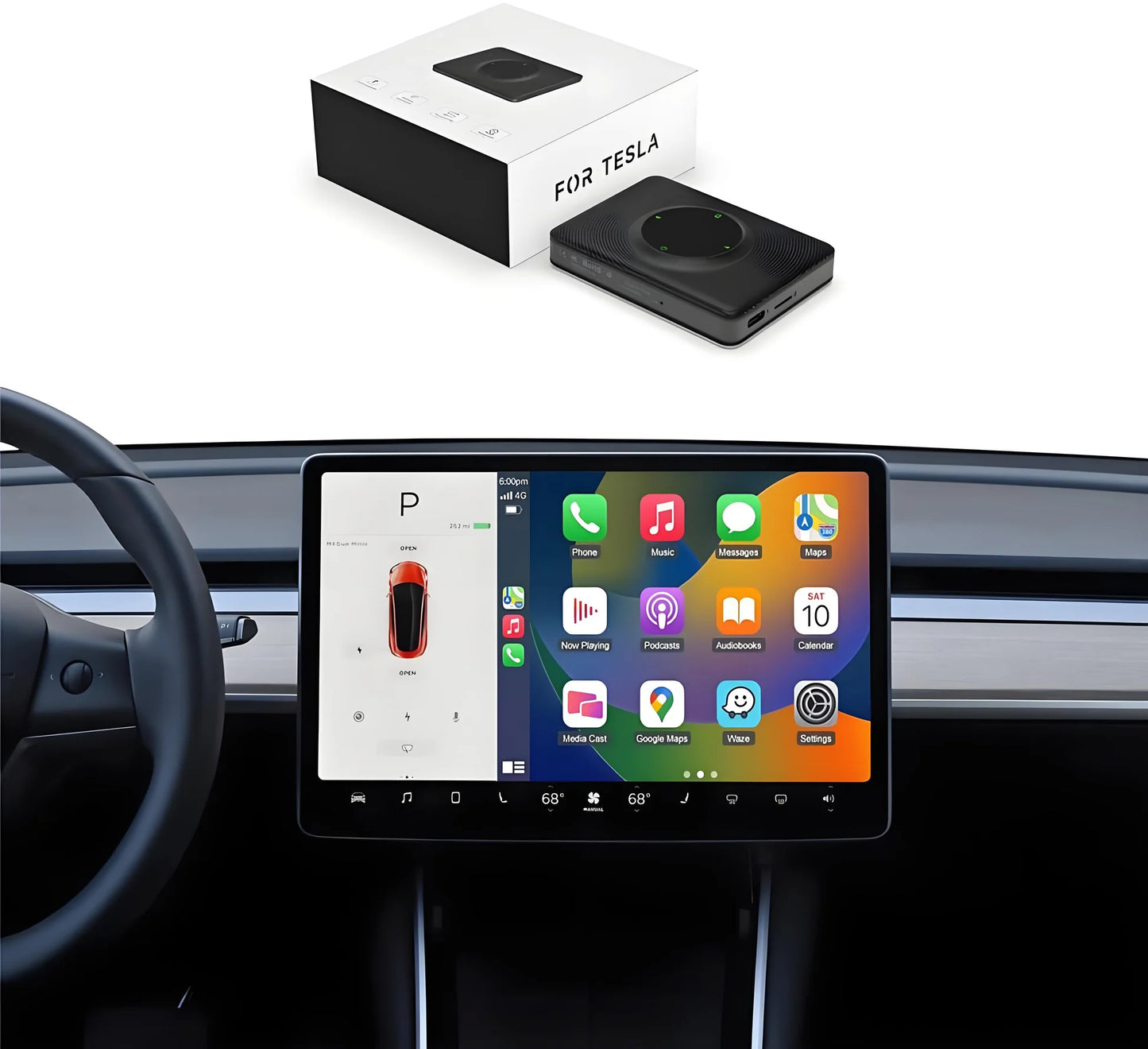
Upgrade your Tesla driving experience with this Wireless Apple CarPlay & Android Auto Adapter, designed specifically for Tesla Model 3, Model Y, Model S, Model X, and Cybertruck.
This compact plug-and-play adapter enables wireless access to CarPlay and Android Auto through Tesla’s built-in browser system, delivering a more intuitive, app-driven infotainment experience—without modifying your vehicle.
Key Features & Benefits
Seamless Plug-and-Play Integration
-
Simply connect the adapter to your Tesla’s USB port
-
No vehicle disassembly or permanent installation required
-
Compact, hidden design blends naturally with Tesla’s minimalist interior
Wireless Apple CarPlay & Android Auto Support
-
Supports Apple CarPlay (iPhone 6+, iOS 10+)
-
Supports Wireless Android Auto (Android 11.0+)
-
Access essential apps like Spotify, Google Maps, navigation, calls, and messaging directly on your Tesla screen
Dual-Band Wi-Fi for Stable Performance
-
Built-in 2.4GHz + 5GHz Wi-Fi ensures faster data transmission
-
Smooth navigation, music streaming, and responsive interface
Voice Control for Safer Driving
-
Hands-free operation via Siri and Google Assistant
-
Make calls, send messages, and navigate without taking your hands off the wheel
OTA (Over-The-Air) Software Updates
-
Easily update firmware via browser access
-
Stay compatible with future system improvements and optimizations
Premium ABS + PC Housing
-
Durable ABS+PC composite material
-
Heat-resistant and impact-resistant for long-term reliability in automotive environments


Easy Setup & Configuration
Apple CarPlay – Method 1
-
Plug the adapter into the Tesla USB port
-
Enable your phone hotspot and connect
-
Pair Bluetooth device “AutoKit_xxx”
-
Connect to Wi-Fi “AutoKit_xxx” (Password: 88888888)
-
Open the Tesla browser and access tespush.com or tescarplay.com to launch CarPlay
Wireless Android Auto – Method 2
-
Start the T2C system
-
Wait ~40 seconds for Wi-Fi “AutoKit_xxxx” to appear
-
Connect phone to AutoKit Wi-Fi (Password: 88888888)
-
Select “Use Cellular Network” when prompted
-
Visit 192.168.3.1 in the browser for setup or OTA updates
Important Note:
In some regions (e.g., Taiwan, Hong Kong, Australia), Tesla restricts browser usage while driving. In these cases, this product cannot be used during vehicle motion due to Tesla’s original system limitations.
Technical Specifications
| Specification | Details |
|---|---|
| Product Size | 79 × 58 × 15.8 mm |
| Material | ABS + PC |
| Bluetooth Version | 4.2 |
| Power Input | 5V ± 0.2V / 1.0A |
| Power Consumption | 3W |
| Wi-Fi Standard | 802.11 a/b/g/n/ac |
| Wi-Fi Frequency | 2.4GHz + 5GHz |
Compatibility
| Function | Supported Devices |
|---|---|
| Apple CarPlay | iPhone 6 and newer, iOS 10+ |
| Android Auto | Android phones with Android 11.0+ |
| Tesla Models | Model 3 / Model Y / Model S / Model X / Cybertruck |
Why Choose This Wireless CarPlay Adapter for Tesla?
-
Designed specifically for Tesla’s infotainment environment
-
Clean, wireless experience without dashboard clutter
-
Stable dual-band Wi-Fi connection
-
Continuous improvements via OTA updates
-
Reliable daily-use performance for navigation, music, and communication